- Ben Haresign
- 03 Jul, 2026
- Compliance
- 8 min read
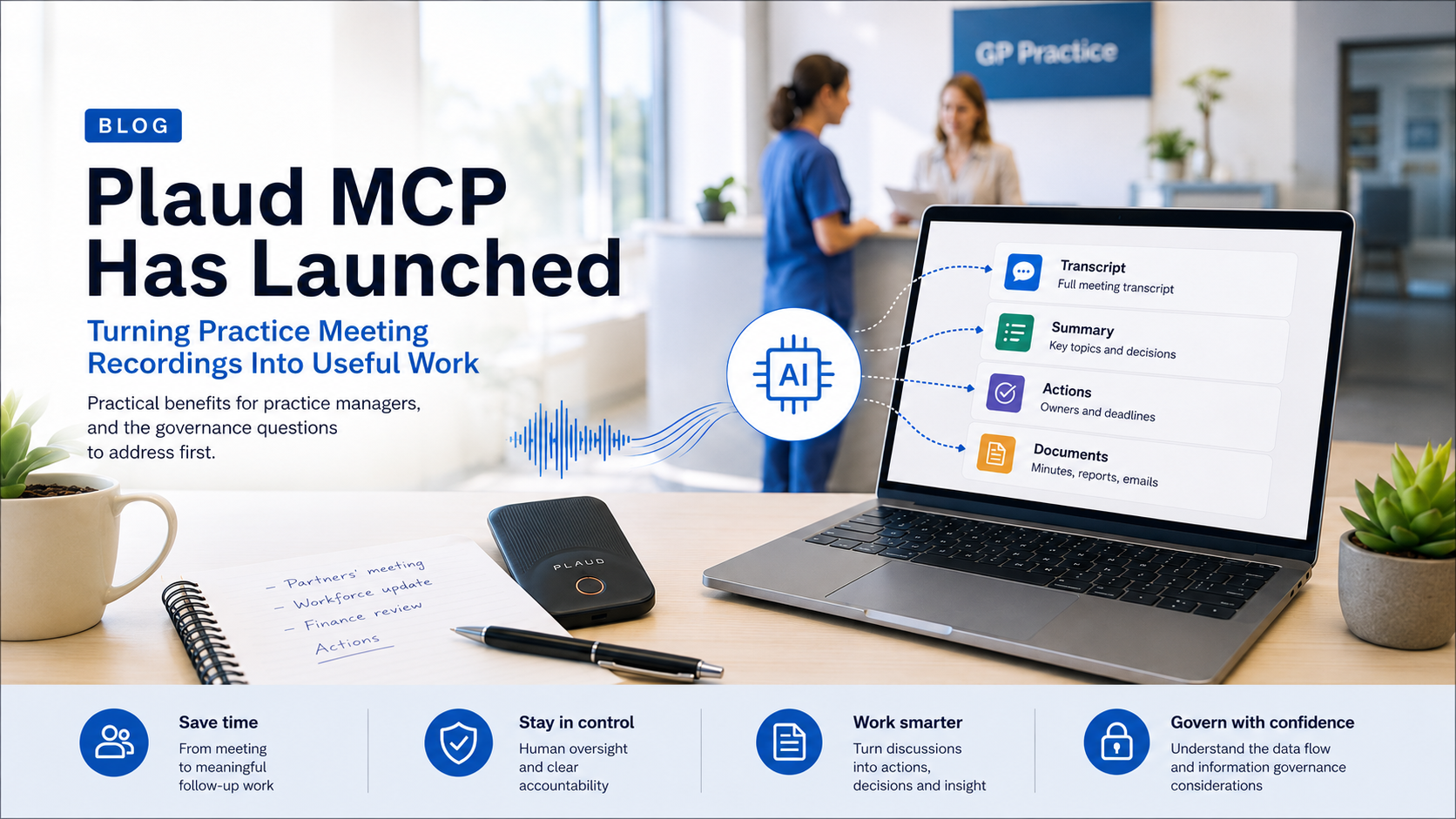
Plaud MCP Has Launched: Turning Practice Meeting Recordings Into Useful Work
Plaud MCP Has Launched: Your Meeting Recordings Can Now Become Part of Your AI Workflow
For practice managers already using Plaud to capture partner meetings, operational discussions and PCN conversations, this could be a significant step forward.
What has changed?
Plaud recordings, transcripts, summaries and action points can now be accessed directly from compatible AI assistants rather than being manually copied from the Plaud application into another tool.
Plaud is already finding its place in general practice
Practice management involves a remarkable number of meetings: partners’ meetings, workforce reviews, finance discussions, PCN meetings, complaints reviews, significant-event discussions, project groups and endless operational catch-ups.
Plaud devices have become a familiar tool for many practice managers because they can record a meeting, generate a transcript and produce an initial summary without somebody attempting to type minutes while also contributing to the discussion.
The problem has often come afterwards. The recording and summary sit inside Plaud, while the actual work continues elsewhere:
- Actions are transferred into emails or trackers.
- Decisions are added to formal minutes.
- Risks are entered into a risk register.
- Updates are written for partners or the PCN.
- Previous discussions must be searched manually.
Plaud MCP begins to connect those two parts of the workflow.
What is Plaud MCP?
MCP stands for Model Context Protocol. In practical terms, it provides a structured way for an AI assistant to communicate with another service.
Rather than downloading a Plaud transcript and pasting it into ChatGPT or Claude, an authorised AI assistant can request the relevant recording, note or transcript directly from the user’s Plaud account.
Plaud made its MCP and command-line tools generally available on 12 May 2026. Its documentation lists support for ChatGPT, Claude, Codex, Cursor, Visual Studio Code, Windsurf, Zed and other MCP-compatible clients.
A simple way to think about it
Plaud records and transcribes the meeting. MCP allows your chosen AI assistant to retrieve that information and help turn it into the next piece of work.
What can the Plaud connection access?
Plaud currently exposes a focused set of tools through MCP. These allow the connected assistant to:
Find recordings
List recordings or filter them by title, keyword and date range.
Retrieve Plaud notes
Access Plaud-generated summaries, key topics and action points.
Read transcripts
Retrieve the full transcript, including timestamps and speaker labels.
Generate new outputs
Use the retrieved material to draft minutes, reports, action logs, emails and other documents.
The available Plaud tools include account authentication, recording searches, individual file retrieval, AI-generated notes and full transcripts.
What could this mean for a practice manager?
The real value is not simply being able to read a transcript inside another application. It is being able to use that transcript as structured working context.
Example prompts for practice managers
Find last Tuesday’s partners’ meeting and draft formal minutes. Separate discussion, decisions and actions, and do not invent an owner or deadline where one was not explicitly agreed.
Review the last three operational meetings and identify issues that appeared more than once, actions that remain unresolved and any emerging risks.
Extract every action from this meeting into a table with columns for action, owner, deadline, evidence required and current status.
Draft a short email to attendees confirming the decisions and actions. Flag anything that was discussed but not finally agreed.
Compare the transcript with these draft minutes and list any material decisions, objections or actions that the minutes have omitted.
The important NHS data-flow question
This is where practice managers need to pause before simply pressing Connect.
Plaud states that when its MCP connection is used through an HTTP-based client, including web-based AI assistants, recording data passes through Plaud’s MCP server hosted in the United States. Plaud says that the data is processed in transit and is not retained by that MCP server after the request has completed.
Plaud’s wider trust documentation states that it operates regional data centres, including a European location in Frankfurt, and that European users use EU-hosted enterprise AI subprocessors. It also states that data is encrypted using TLS 1.2 or above in transit and AES-256 at rest.
These are not necessarily the same data flow
A practice should not assume that the regional arrangements applying to the normal Plaud service automatically mean that every MCP request remains within the UK or European Economic Area.
The connected AI client also becomes part of the processing chain. Its location, retention arrangements, contractual terms, access controls and use of submitted content must therefore be assessed alongside Plaud itself.
Meeting recordings can contain much more than ordinary business information
A partners’ or management meeting can quickly include:
- Identifiable patient cases
- Complaints and significant events
- Safeguarding information
- Staff health or absence information
- Performance or disciplinary discussions
- Financial and contractual information
- Partnership disputes
- Sensitive organisational risks
Some of this may be personal data, special-category data or confidential patient information. The fact that it was spoken during an internal meeting does not reduce the organisation’s responsibilities for how it is recorded, transferred, analysed, retained and accessed.
Plaud’s privacy policy also makes clear that its own policy does not govern independent processing undertaken by connected third-party applications. Each connected service must therefore be assessed separately.
A sensible practice-level adoption checklist
| Area | Question to answer |
|---|---|
| Purpose | What specific administrative problem are we solving? |
| Approval | Has the practice formally approved Plaud and the connected AI client for this use? |
| Data mapping | Where do the audio, transcript, summary and prompts travel? |
| DPIA | Does the existing assessment cover recording, AI processing, MCP access and international transfers? |
| Contract | Are appropriate commercial terms, processor obligations and data-processing agreements in place? |
| Access | Who can connect the account and retrieve its recordings? |
| Retention | How long are the audio, transcripts and derived documents retained? |
| Transparency | Are meeting participants told that recording and AI processing will take place? |
| Accuracy | Who checks the transcript, minutes and actions before they become part of the formal record? |
| Exit arrangements | How will recordings and authorisations be removed when somebody leaves or the service is no longer used? |
Administrative meetings and clinical use are not the same thing
Using Plaud to help draft minutes from a non-clinical project meeting is materially different from using it to record a patient consultation or create information for the clinical record.
NHS England’s guidance on AI-enabled ambient scribing states that healthcare organisations should complete appropriate information-governance and clinical-safety work, including a DPIA and DCB0160 documentation, and ensure that generated outputs are reviewed and approved before further action. It also states that such products should not be used by individuals outside the supervision and approval of their organisation.
For clinical documentation, organisations may also need to consider DTAC, supplier DCB0129 evidence, medical-device status, the NHS England Ambient Voice Technology Supplier Registry and integration with the clinical record system.
A connector is not organisational approval
The appearance of Plaud inside an AI application does not, by itself, make it approved for processing patient information, staff information or confidential NHS material.
Start with a controlled administrative pilot
The strongest initial use case is likely to be a clearly defined, non-clinical administrative workflow.
- Select a routine meeting that does not normally discuss identifiable patients, safeguarding, complaints or confidential staff matters.
- Agree the purpose, participants, recording arrangements, access controls and retention period.
- Confirm the complete data flow for both Plaud and the selected AI client.
- Use a standard prompt and minutes template so outputs can be compared consistently.
- Require the meeting chair or responsible manager to review the transcript-derived output.
- Evaluate accuracy, time saved, missed actions and any information-governance concerns before expanding its use.
This turns the exercise into an evaluated workflow improvement rather than another unmanaged AI experiment.
My view
Plaud MCP is potentially more important than another transcription feature.
It moves Plaud from being a place where meeting information is stored into a service that can contribute directly to the wider management workflow.
Used properly, that could reduce the repetitive work between a meeting ending and its actions actually being communicated, tracked and completed.
The opportunity for practice management is substantial:
- Less time manually moving information between systems.
- More consistent meeting records.
- Faster production of actions and follow-up communications.
- Better retrieval of previous decisions.
- Improved visibility of recurring operational problems.
But the connection also makes it easier to move a large amount of sensitive information between services. That makes good governance more important, not less.
The technology is ready to connect. The practice still needs to decide what it should be connected to, what information it should be allowed to process and who remains accountable for the final output.
The bottom line
Plaud MCP could turn hours of recorded management discussion into searchable organisational knowledge and practical follow-up work. For GP practices, the winning approach will be controlled adoption: a clear purpose, approved systems, understood data flows and human review of every formal output.
Record less administration.
Create more useful action.